


Owning an Android can be a lot of fun, that is, until its battery starts to drain a little too frequently.
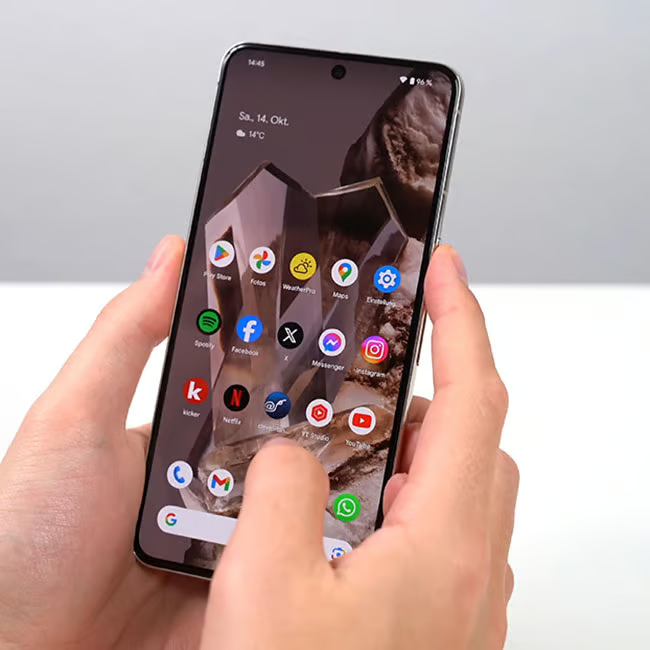
When you first get your Android, it comes with all sorts of apps that might seem interesting for the time being, but eventually, they become useless and only end up taking up storage and draining your phone’s battery. Using information from tech experts, we’re listing five preinstalled apps found on Androids that you should consider deleting, as they take up storage space and drain battery life in the background. Read more about them below.

Women Are Swapping Their Boring Water For This Ice Pop Electrolyte Mix!

1. Facebook
Given it's one of the most popular social media apps of all time, Facebook has become a preinstalled app, or bloatware, on many Android models. Not only does this app come with its own set of safety risks, but its consistent feed updates can also drain your battery easily.
"Facebook takes up a lot of space. It keeps updating in the background, which uses up your battery and data," says tech pro Bob Gourley.

2. TikTok
Who doesn't love scrolling on TikTok for a while throughout the day? Still, no matter how popular it is or no matter how many hours in a day you could spend on it, it's an app that does more in the background of your phone than you may realize. Therefore, if you could use a break from your screen, deleting it could be worth it.
"Apps like TikTok are also constantly running programs in the background, and that is also a major power sucker," explains tech expert Ryan McClellan. "Plus, it takes more battery power to watch videos, so IG Reels and TikTok are especially prone to sucking the life out of your battery faster than other apps."
3. Free Utility Apps
If you have some kind of third-party 'phone cleaning' app on your Android that promises to clear up storage for you, delete excess files, and more, or some kind of battery boosting app, you could actually be putting your battery life at risk.
"You should also definitely get rid of the 'free utility' apps, like the cleaner, battery booster, torch, and wallpaper apps," notes tech pro Steven Athwal. "These are already native features to Android, like its storage management and optimisation tools. These third-party apps are running intrusive services in the background."

4. Navigation Apps (Google Maps, Waze)
If you've had your Android for a while, there's a good chance you've given various navigation apps a try. Whether it's Waze, Google Maps, or your phone's built-in map feature, eventually, everyone selects the one that they feel best about. However, these apps do a lot in the background, subsequently draining your battery. Therefore, it's best to pick one and stick to it.
"People sometimes have multiple navigation apps downloaded, such as Waze and Google Maps, but these apps are such large storage hogs and slow users," adds Athwal. "So, even if you're not using them, they're still checking GPS, Bluetooth, and network data."